Catalogs and metadata
Catalogs are the data object entry point for streaming lakehouse development. Realfuture connects built-in and external catalogs to a workspace so developers can explore and reuse databases, tables, views and functions.
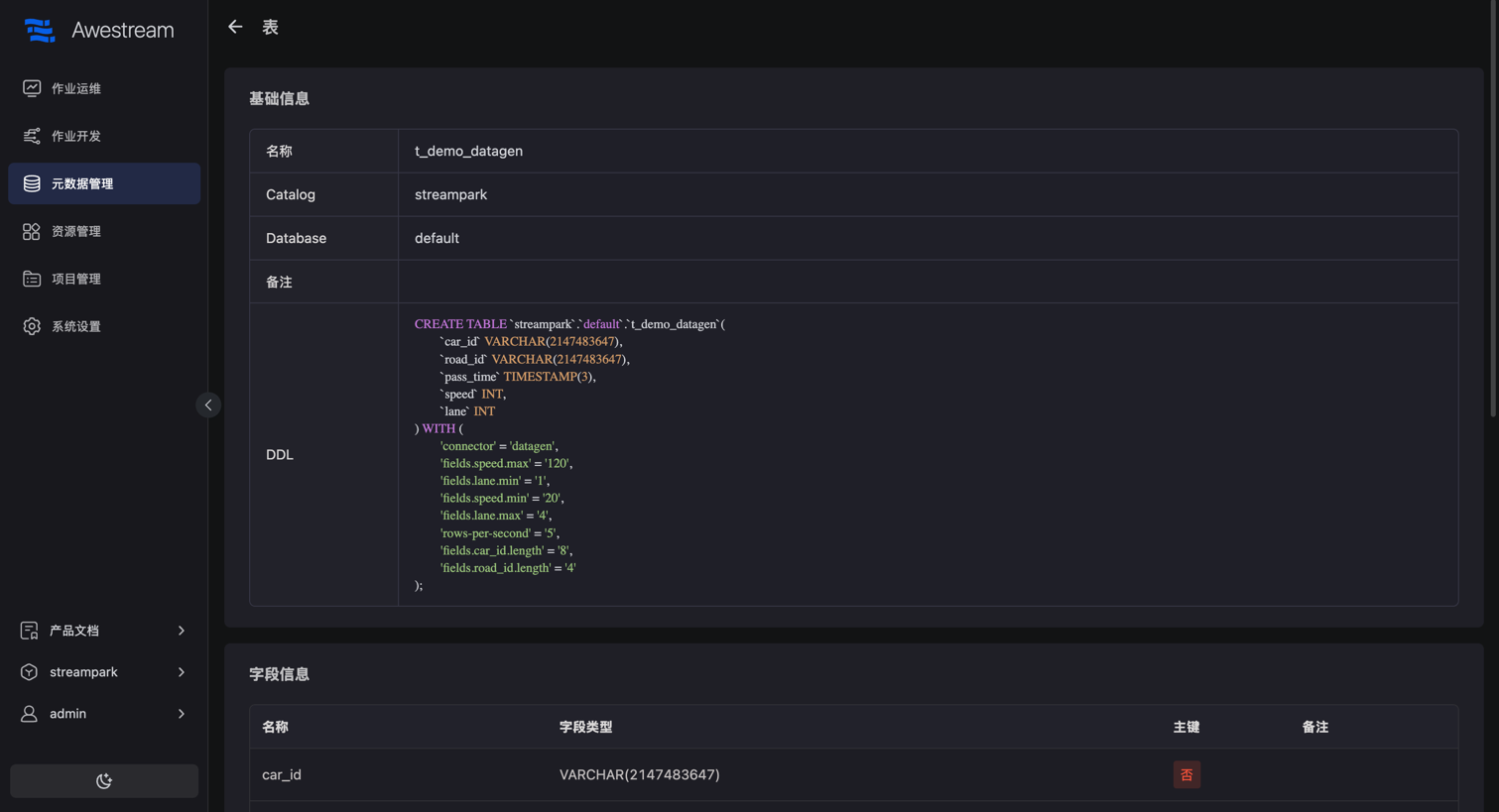
This screen from the product documentation uses the earlier Awestream name.
What catalogs manage
| Catalog or object | Purpose |
|---|---|
| Built-in catalog | Store and reuse metadata objects managed by the platform |
| Database catalogs | Discover supported databases and tables; inspect columns and types |
| Kafka catalog | Filter topics and map supported message formats to table schemas |
| Lakehouse catalogs | Access metadata in components such as Paimon and Hive |
| Views and functions | Organize reusable SQL objects and function definitions |
Catalogs manage structure and objects; connectors provide runtime reads and writes. A catalog integration does not imply every connector direction or CDC behavior is supported.
Connect and reuse
- Create a catalog in the workspace and configure its type, connection, authentication and required resources.
- Browse databases and tables; check columns, types, keys and DDL.
- Reference existing objects in SQL completion, validation, ETL or queries.
- Refresh metadata after schema changes and check affected jobs.
Form and SQL operations depend on the catalog. Some external catalogs primarily provide discovery. Their capabilities can differ from the built-in catalog.
This example uses a catalog named streampark; use the name configured in your workspace:
SHOW CATALOGS;
USE CATALOG streampark;
SHOW DATABASES;
USE default;
SHOW TABLES;
Inspect an existing table before querying or processing it. Use catalog.database.table to identify an object by its full path.
Kafka discovery
The Kafka catalog can filter topics by exact name, wildcard or regular expression and infer schemas by sampling supported message formats. Metadata and additional columns can supply fields needed by a job.
Inferred schemas describe sampled data. Check empty topics, missing fields and varying message types; a sample does not guarantee the structure of future messages.
Schema changes and SQL lineage
The platform provides metadata refresh and corresponding schema override and alignment operations. Distinguish logical metadata in the platform from the actual external schema: not every edit changes the external system.
SQL lineage describes table and column origins for supported INSERT/CTAS statements. It does not cover arbitrary JARs, external programs or every enterprise governance requirement.
Queries and publishing
Catalogs provide shared development context. Accounts, SQL semantics and execution environments depend on the query path. Published jobs also need compatible connectors, dependencies and runtime configuration.
Continue with development and publishing, streaming lakehouse development and compatibility.